
Skip to content
Laby

The App for your Label Printer Works with NIIMBOT, Phomemo, Marklife & Nelko

White NIIMBOT D110 label printer Teal NIIMBOT B1 printing a flower-pot price label
A hand holding an iPhone displaying Laby’s label editor

One app for many printers.

Marklife Nelko NIIMBOT Phomemo
Explore compatibility

Simple from the start.No experience needed.

Open the app, tap what you want, print. Laby keeps it simple, on the phone you already carry.

Everything a label needs.
One tap away.

Text, images, QR codes, barcodes, addresses, dates, shapes and borders. Tap one to add it, then drag it where you like. The full editor is free.

Text. Any words, any size. Bold, italic and aligned your way.

Laby’s label editor on an iPhone, showing a $6.99 price-reduction label with a barcode

Just say what you need.
Laby AI does the rest.

Type “a label for my coffee beans” and Ask Laby AI makes it, sized for your label. Included in Laby Pro.

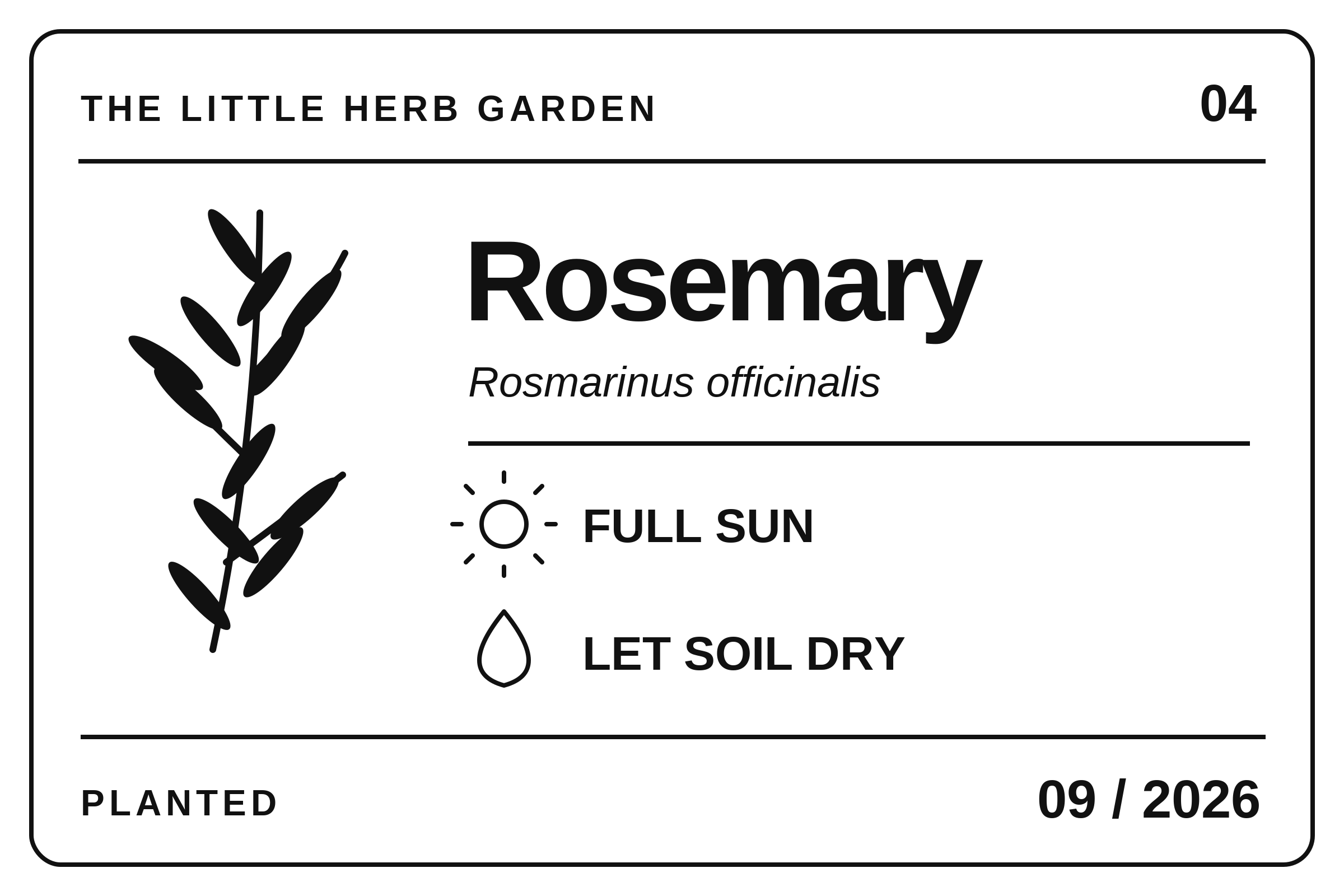
Make a rosemary label with simple care instructions.
A little care, clearly labeled.
Rosemary plant label with care instructions

Works with your Printer.NIIMBOT, Phomemo, Marklife, Nelko.

Connect your compatible NIIMBOT, Phomemo, Marklife or Nelko label printer to Laby through Bluetooth.

NIIMBOT

B1, B21, D11, D110 and more.

NIIMBOT B1 with a printed product label White NIIMBOT D110 label printer

Phomemo

D30, M200, M220, P12 and more.

Phomemo D30 label printer Black Phomemo M220 label printer

Marklife

P7, P15, LP15, M1 and more.

Marklife P15 label printer

Compatibility depends on your exact model and label media. Find your printer in Laby’s printer setup.

Your labels stay yours.Made in Austria, built for privacy.

Laby is developed in the EU and follows European privacy standards. Privacy isn’t a setting. It’s how the app is built.

Only what’s needed.

Laby collects as little as possible and never sells your data.

You stay in control.

Your labels are yours. Keep them on your phone and print offline, anytime.

GDPR compliant.

Built to EU data protection rules, with data handled to European standards.

Before you
press print.

Does Laby work with my label printer?

Laby supports compatible NIIMBOT, Phomemo, Marklife and Nelko thermal label printers. Examples include the NIIMBOT B1, B21, D11 and D110; Phomemo D30, M200 and M220; Marklife P7, P15 and LP15; and Nelko P21, PM230 and PM270.

Compatibility depends on the exact model and label media. Check your model in the app’s printer setup.

What can I use for free?

Printing, the full label editor and your saved label library are free. You can create labels with text, images, QR codes, barcodes, address blocks and shapes. Laby Pro adds more, like the template collection, Ask Laby AI and other extras.

Do I need an account or internet connection?

No account is needed. Your saved labels stay on your device, and you can design and print offline. Ask Laby AI needs an internet connection.

Is my data safe with Laby?

Yes. Laby is developed in Austria and follows EU data protection rules (GDPR). It only collects what it needs to work and never sells your data. Your labels stay on your phone, and you can design and print offline.

Can I choose my own label size?

Yes. Choose a size for your printer or enter a custom size that matches your media. Laby supports different label shapes and media, including continuous tape, depending on your printer.

Is Laby available for iPhone and Android?

Yes. Download Laby from the App Store or Google Play, connect your compatible printer and make your first label.

The app your printer should have come with.

Three people printing adhesive labels with compact label printers